Building Page Builders for Non-Technical Teams: Creating Flexible Editing Systems That Won't Break the Design
 May 14, 2026
8 mins
May 14, 2026
8 mins
Most non-technical content teams do not actually want unlimited flexibility. What they want is confidence.
They need to update pages, publish campaigns, add content, and respond to business needs without worrying that a routine edit will break the layout, damage the brand presentation, or create a new problem for a developer to repair later.
That tension sits at the center of many custom WordPress projects. The site needs to feel intuitive for the people managing it while still preserving the structure, consistency, and front-end quality that made the site worth building in the first place.
Why Unlimited Editing Flexibility Usually Backfires
Many visual editing systems promise freedom, but in practice they often create fragile layouts, inconsistent spacing, broken responsive behavior, and increasingly difficult maintenance burdens over time.
When every page can be designed from scratch, every page can drift away from the original design system. Spacing becomes inconsistent. Typography treatments multiply. Mobile layouts become harder to predict. Content editors are forced to make design decisions they may not be trained or staffed to make.
The result is editorial anxiety rather than empowerment. Instead of focusing on content, teams become responsible for protecting design consistency, layout integrity, and responsive behavior with every update.
Structured Flexibility Is the Better Model
A better approach is designing page-building systems around structured editorial workflows instead of unrestricted visual manipulation.
Reusable content modules, governed layout systems, and intentional editing constraints create a much more stable long-term experience. Editors still get meaningful control over content and page composition, but the design system continues to handle the visual rules behind the scenes.
Controlled Where It Protects the Design
At the same time, the system should protect areas that can easily create inconsistency: spacing, typography scale, responsive behavior, component proportions, animation behavior, and layout relationships.
Those are design-system and front-end architecture decisions. They should be built into the platform.
Designing for Real Editorial Workflows
The strongest CMS systems are designed around how people actually work.
Marketing teams rarely think in terms of templates, fields, or layout engines. They think in terms of business needs: launching a campaign, adding a service page, updating a testimonial, publishing a case study, or promoting a downloadable resource.
A useful page builder should reflect that reality. Instead of exposing abstract technical controls, the editing interface should be organized around recognizable content patterns and practical publishing tasks.
Reducing Decision Fatigue
The strongest CMS systems reduce decision fatigue.
Editors should not need to understand responsive design principles, spacing systems, or front-end architecture in order to publish effective content. Those concerns should already be embedded into the platform itself.
When the editing experience is structured properly, content teams can focus on message quality, audience relevance, and campaign timing rather than layout mechanics.
Preventing Broken Layouts Before They Happen
A well-designed page builder prevents many problems before they ever reach the front end.
Instead of giving editors unlimited options and relying on training to prevent mistakes, the system should make strong outcomes the default. Components should have sensible field requirements, predictable fallbacks, and layout rules that preserve quality even when content lengths, image crops, or section combinations vary.
Reusable Modules Create Long-Term Value
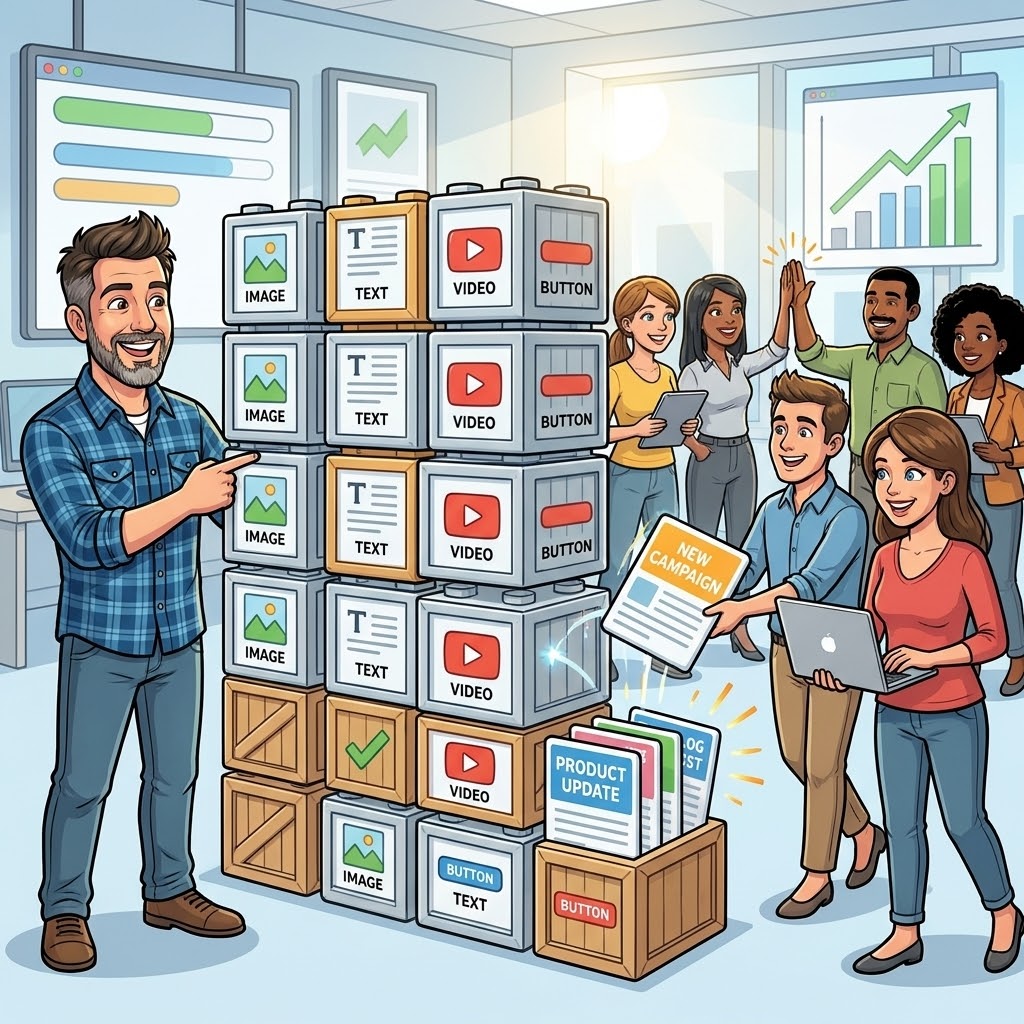
Reusable modules are what turn a website from a set of static pages into a scalable publishing system.
A service overview section, testimonial block, feature grid, case study callout, resource CTA, industry intro, or staff profile module can be reused across the platform while still supporting different content in different contexts.
This creates consistency for users and efficiency for internal teams.
It also reduces the need to rebuild the same patterns repeatedly. Once a component is designed, developed, tested, and approved, it becomes part of the site’s long-term toolkit.
Consistency Across Pages
Reusable modules help keep large sites visually coherent.
As new pages are added, the platform continues to feel like one unified experience rather than a collection of disconnected layouts. This matters especially for agencies, professional services firms, e-commerce brands, and organizations with multiple departments or content owners.
Faster Campaign Deployment
Reusable systems also make campaign work faster.
When marketing teams already have access to approved landing page sections, CTA patterns, form blocks, resource modules, and content layouts, they can launch new initiatives without starting from scratch each time.
Governance Matters as Much as Flexibility
Good page builders need governance.
Without clear rules, even modular systems can become messy. Component names become inconsistent. Similar layouts get duplicated. Editors begin using sections for purposes they were not designed to support. Over time, the system becomes harder to maintain.
Governance does not mean making the CMS rigid. It means creating a shared structure that keeps the platform understandable as it grows.
Clear component naming, predictable content rules, and a shared understanding of what each module is designed to do help keep the system understandable as it grows.
A section labeled “Feature Grid” or “Resource CTA” is more useful than a vague technical label. Likewise, a testimonial module should remain a testimonial module rather than gradually becoming a catch-all content block for unrelated use cases.
Why This Matters for Agencies
For agencies, these systems create operational advantages.
A well-structured custom page builder allows creative teams to deliver polished, brand-specific websites while giving clients a CMS they can actually manage. It reduces support requests, simplifies QA, and makes the finished site more durable after launch.
It also creates a better handoff. Instead of giving clients a fragile visual builder and hoping they do not break the design, the agency can deliver a controlled publishing system that reflects the strategy, design standards, and content model of the project.
Better Client Experience
Clients feel more confident when they understand the system.
They do not need to guess how to build a page or worry about whether a new section will match the rest of the site. The CMS gives them usable choices while quietly protecting the design quality underneath.
Less Long-Term Maintenance Friction
Development teams benefit as well.
When the CMS is structured cleanly, future updates are easier to scope, troubleshoot, and extend. The platform can evolve without becoming increasingly fragile over time.
Outcome
The best page builders for non-technical teams are the ones that make the right decisions easier.
They give editors meaningful flexibility without forcing them to become designers or developers. They protect brand consistency without making the platform feel locked down, and they allow marketing teams to move faster without creating long-term technical debt.
For modern WordPress projects, that balance is where the real value is: flexible enough for real-world content operations, structured enough to preserve the design, and scalable enough to support the site long after launch.